Exoplanet Explorer
Exoplanet Explorer is an immersive installation where visitors search for real exoplanets through a physical telescope. A team of five built it for the Floraliën 2026 in 't Kuipke, Ghent, where it ran for ten days in a darkened corridor as part of an exhibition about nature and space.
Visitors move the telescope to scan a projected star field, zoom in on a planetary system with a rotary knob, and read the planet's scientific data on a touchscreen beside them. Before moving on, they can leave a flag with their initials on the planet they discovered, visible to every visitor after them.
My Role
We built this as a team of five for the course Digital Product Studio 2. Joran Vreye led the project and built the TouchDesigner environment. My part was the layer connecting the physical and digital sides:
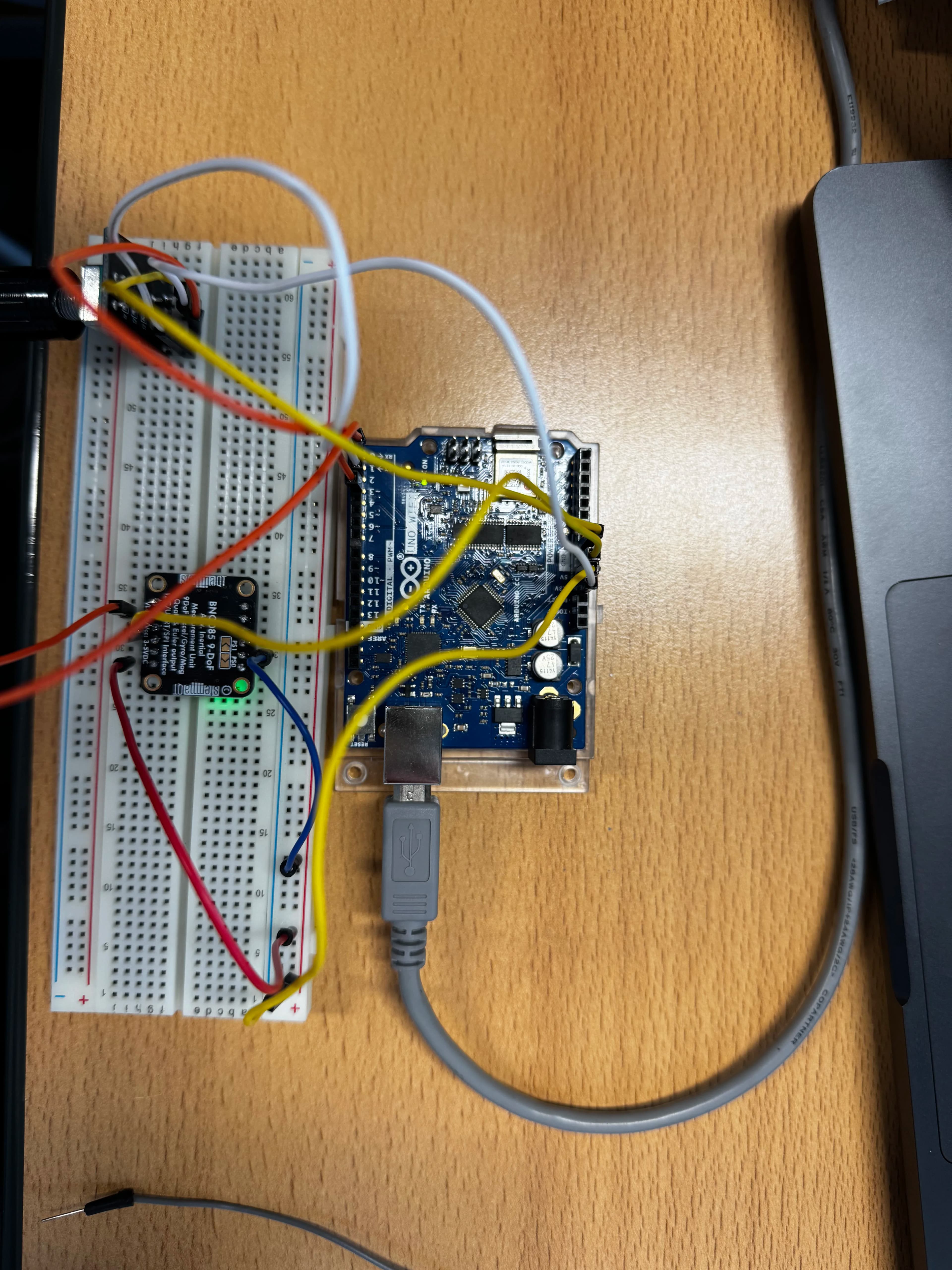
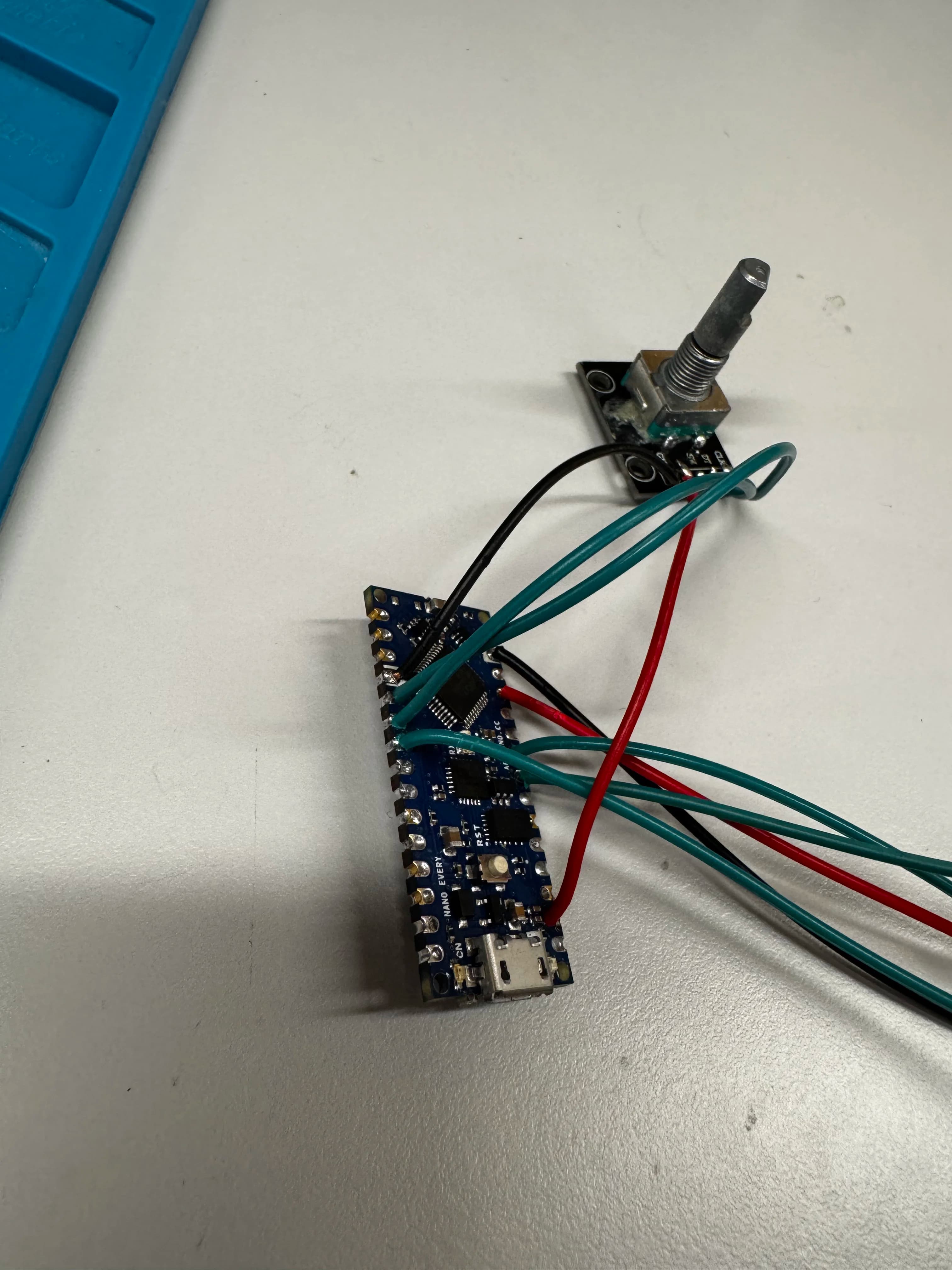
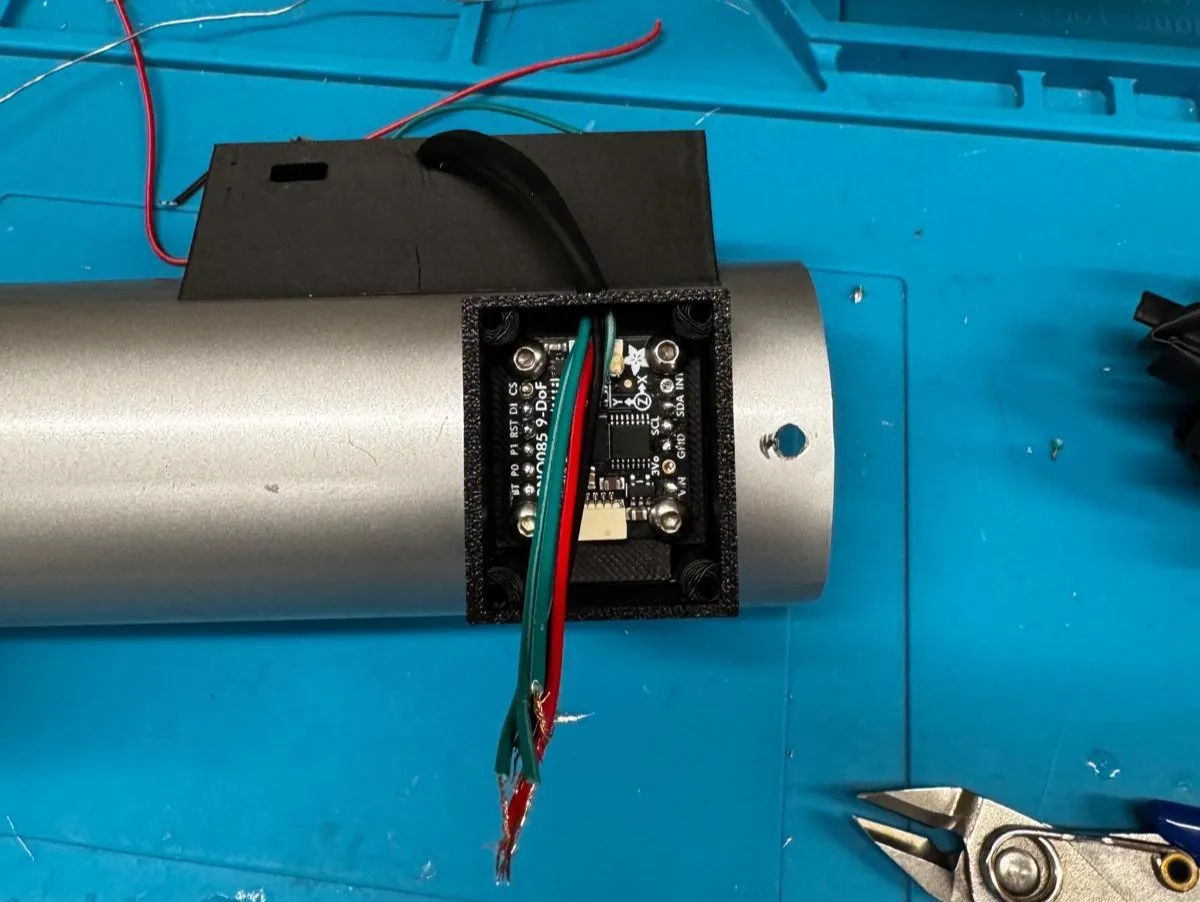
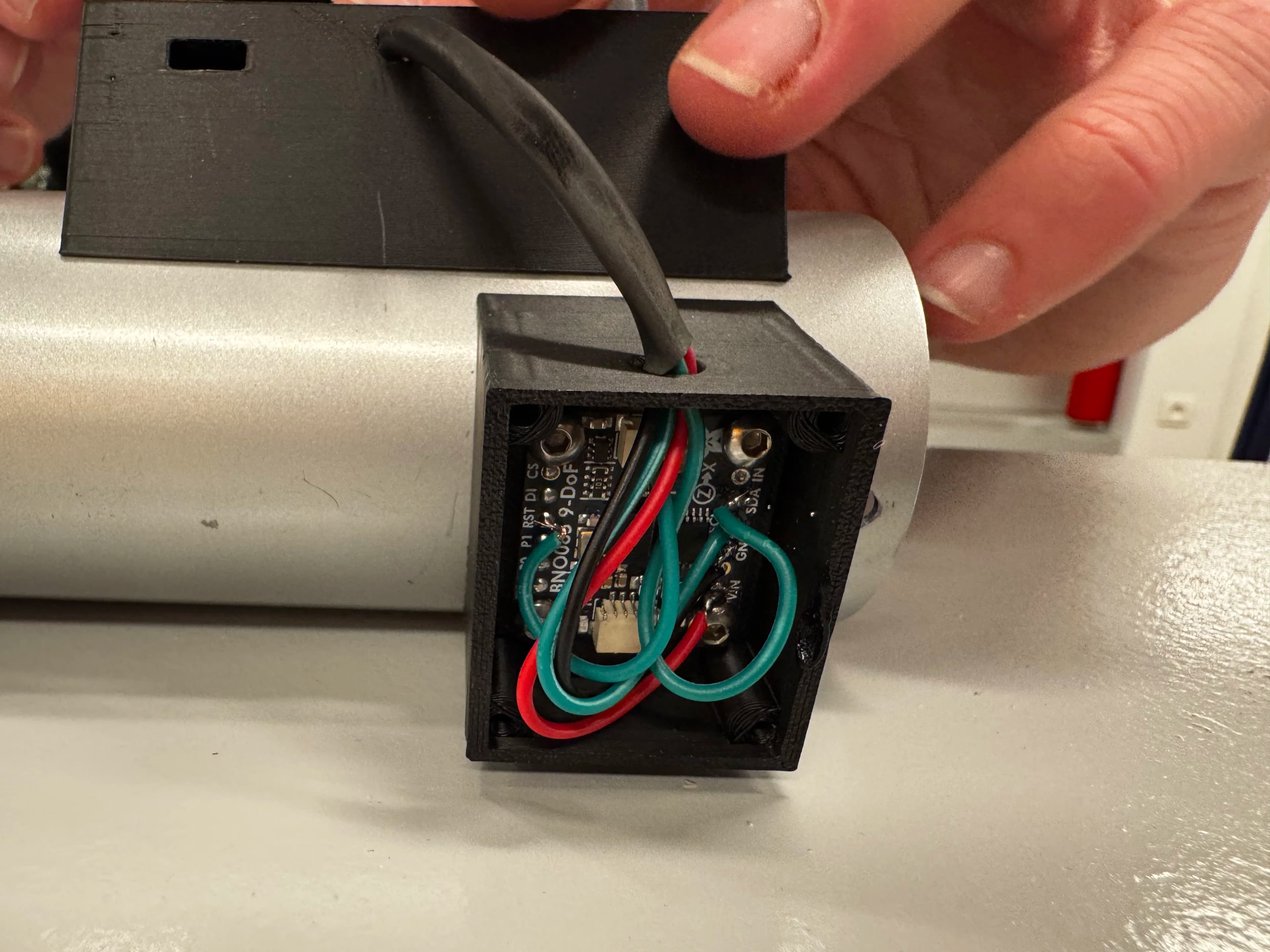
- Telescope electronics. I soldered the electronics and programmed the Arduino Nano that reads a gyroscope for the telescope's direction and a rotary encoder for zooming.
- Touchscreen interface. I developed the Next.js interface based on Joran's design, including the flag feature where visitors type their initials and pick a colour.
- Real-time communication. I set up the WebSocket server that runs alongside the interface and keeps the touchscreen and the 3D scene in sync.
How It Works
The whole installation runs on a local network without an internet connection, so it doesn't depend on the venue's network.
Messages travel in both directions. When a visitor zooms in on a planet, TouchDesigner tells the interface which planet is in focus, and the touchscreen opens that planet's data. When a visitor places a flag, the interface sends their initials and colour back to TouchDesigner, which adds the flag to the 3D planet.
The ten planetary systems are based on real exoplanets. We took the data from NASA and had it checked by experts, because the information shown to visitors had to be scientifically accurate.
The Challenge
Each part of the installation was built by someone else, but to visitors it had to feel like one experience. The hardest part wasn't any single component but the agreements between them: every message had to mean the same thing to the interface, TouchDesigner and the LED strips.
At one point, the LED strips reacted incorrectly because two of us had interpreted the message format differently. Fixing it taught me to define a shared message format early and write it down, instead of assuming everyone reads it the same way.
Running for ten days also exposed problems we hadn't seen in testing. The gyroscope slowly drifted and needed regular recalibration, and the telescope's Arduino overheated inside its sealed housing until we added ventilation.
Result
The installation ran for the full ten days, with a mostly older audience alongside younger visitors. It worked, but not flawlessly: planet images sometimes failed to load on the touchscreen, and zooming wasn't as smooth as we wanted, which hurt the experience.
Looking Back
What I'm proudest of is bringing hardware, software and design together into one immersive experience in a short amount of time. In a next version, I'd make image loading on the interface more reliable and give visitors clearer feedback while zooming.
Built with Joran Vreye, Simon Van Tomme, Mathijs De Langhe and Arda Sager.
Curious about another perspective on this project? Read Joran's case study, which covers the TouchDesigner environment and the physical build of the installation.